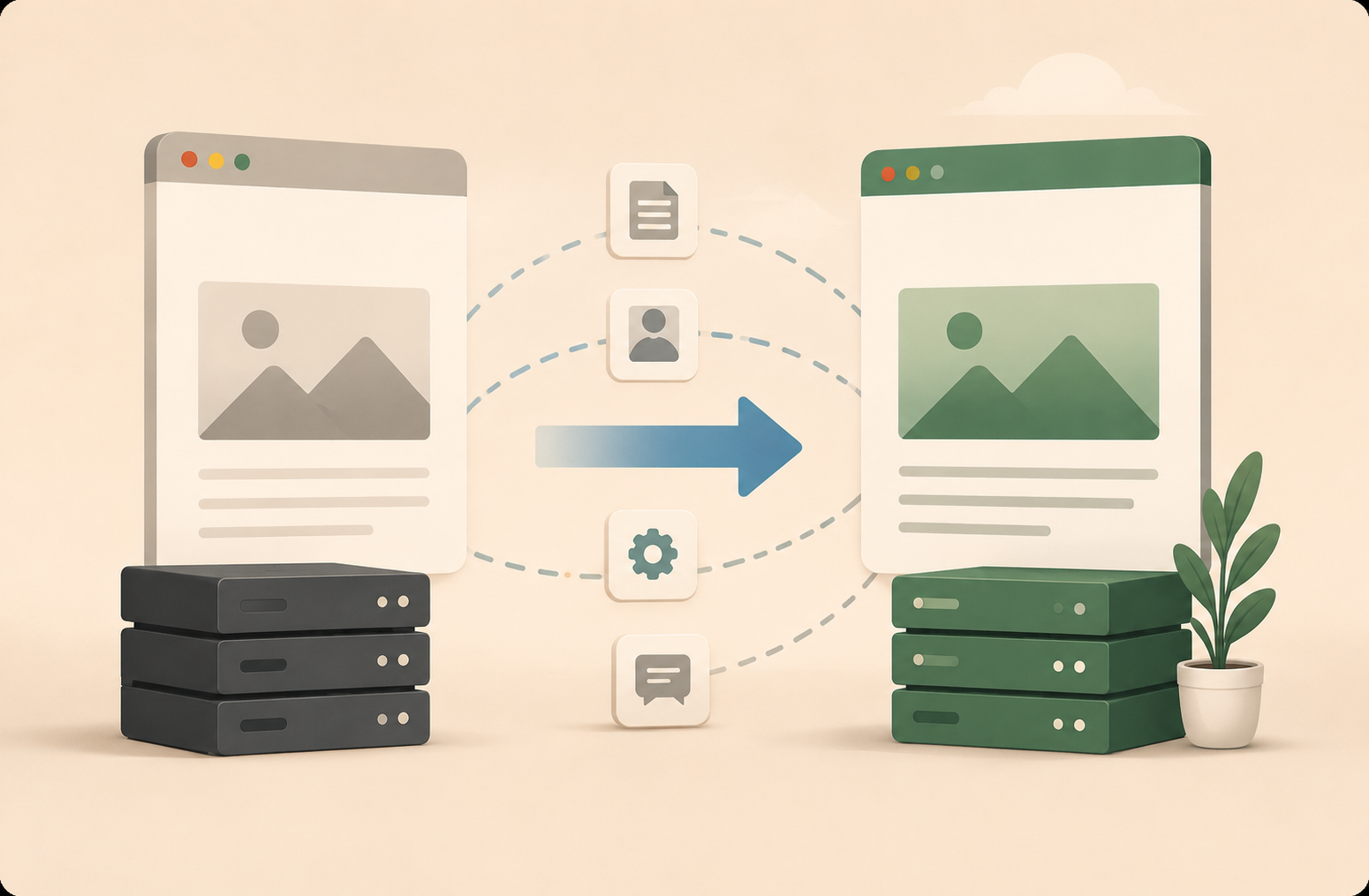
I buried the lede in my previous update — as part of my builder challenge, one of the first things I completed was migrating my WordPress blog to a Cloudflare-hosted static site. If you want the quick version: it went well, but took longer than expected — The actual site migration was fast thanks to Claude Code; however the initial git workflow setup and DNS cutover were where most of my time went. I’d probably do it again as it’s a great learning exercise — though I wouldn’t recommend it for everyone.
Here’s how it happened, what I learned, and why the stack actually mattered for my agentic exploration.
Why I ended up here (a brief detour through a WordPress dead-end)
Recently, as part of my Personal OS exploration, I started mapping out a simple agent pipeline on my Nanoclaw instance to help me write more consistently: a drafter skill, a reviewer, a publisher. The idea was straightforward — I give it a rough outline, it produces a draft I can edit, and the publishing step handles the mechanics.
The problem showed up when I tried to wire it to WordPress. Under the Personal plan, there’s no clean MCP/API connector path I could use. I could have spent more time pushing through it, but honestly, when I looked at my actual learning goals at the time, I saw a better use of that energy.
I’d been inspired by other builders doing their own vibe-coding challenges — picking a project, shipping it end-to-end with AI assistance, and learning SDLC fundamentals hands-on in the process. I was starting my own version of that and migrating the blog from scratch felt like a fun first project: something I’d actually use, and a chance to learn git workflows, CI/CD, and hosting for real.
Now — I would not recommend this for everyone. If your goal is just to write more, WordPress or Substack could serve you fine. This was a deliberate learning exercise.
How I did this
Planning
I used Claude Code to help me explore and make the key decisions upfront — options for which stack to use, how to structure my workflows, and a step-by-step migration plan for both the blog content and my personal domain. Having that plan in hand before touching anything made the actual execution a lot less stressful.
The stack
Astro (static site generator) → GitHub (content lives as markdown files; drafts and edits come in as PRs) → Cloudflare Pages (free hosting) → my custom domain at cutover.
The site is static, which means every post is just a markdown file in a git repo. That turns out to be a good native medium for an agent editing my blog — every change is a diff, reviewable and revertible, and drafts are just branches.
Migration
Once I exported my WordPress files, I pointed Claude Code at them alongside my migration plan — and it was able to oneshot a local preview of the new Astro site. I was genuinely impressed; the first preview looked pretty good. After setting up the repo and wiring up the necessary Git access, Claude pushed everything up and we iterated on some minor UX tweaks. Setting up Cloudflare Pages was straightforward — once connected to the repo, it autogenerated deployments on every push.
Given my (low!) publishing volume, the scope of the migration itself wasn’t too large — I migrated 4 published posts and 2 drafts from WordPress, plus rescued 17 media files that came with them.
Agent pipeline
I also set up subagents on my NanoClaw instance — blog-drafter, blog-reviewer, and blog-publisher — that work off my Obsidian notes to generate an initial draft based on my outline, run a review pass, and open a draft PR on my blog repo. More on that below.
Branch structure
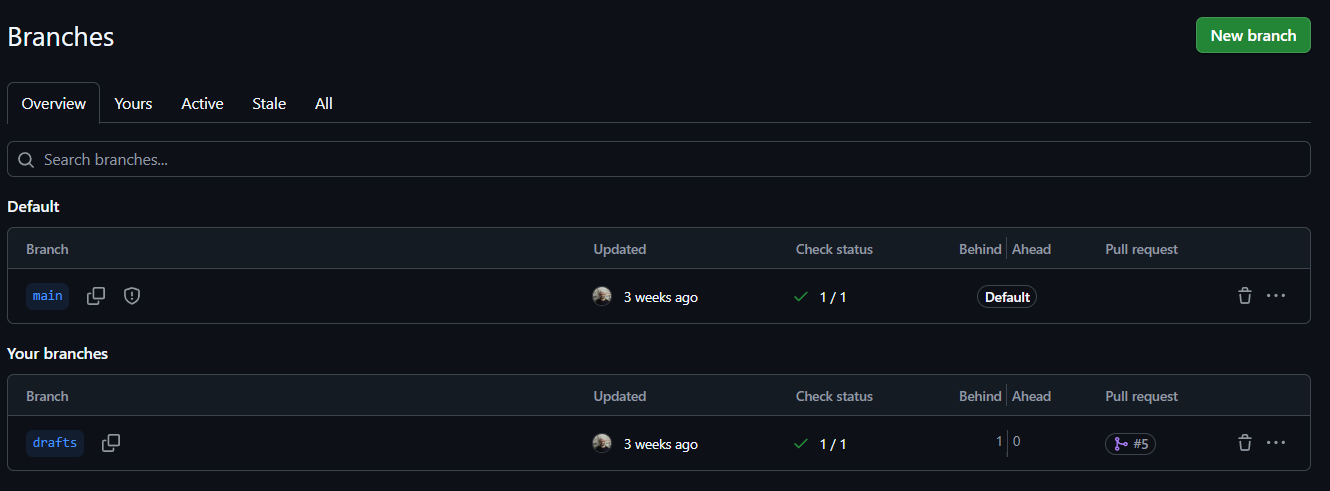
main and drafts branches, with branch protection on main. The publishing agent can only open PRs targeting drafts — it can never merge to main. I review the PR, check the Cloudflare preview, and do the final merge myself.
Preview deployments
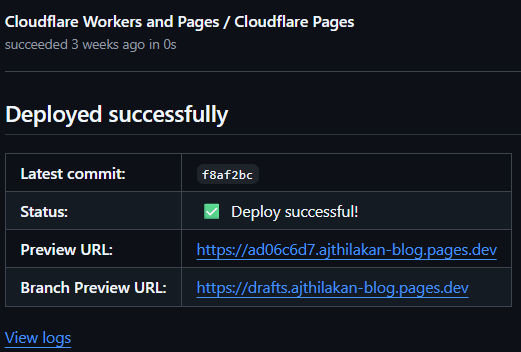
Cloudflare Pages builds a unique preview URL for every PR branch. Before anything goes live, I can see exactly what it’ll look like at a real URL. This was a pleasant surprise — I hadn’t set it out to work this way, but it ended up being one of the more useful parts of the workflow.
DNS cutover
Moved my domain from WordPress DNS over to Cloudflare Pages. Non-destructive until the final flip.
What actually took time
The site itself came together quickly once I’d made the initial calls — static site with Astro, rough styling direction. Claude handled the scaffolding fast after that.
The real work was two things:
Git workflows and Cloudflare hosting
Not hard in retrospect, but getting comfortable with PR-based workflows, and the Cloudflare Pages build pipeline took a chunk of time initially. These are muscles worth building; I just hadn’t used them much on personal projects, and might be overkill for those looking for a simple blog stack.
DNS migration
There are a lot of steps here, and the order matters — get it wrong and you can break your site for a period of time. Having Claude available to draft a cutover plan and walk through it step by step was genuinely one of the more useful things in the whole project. I could have Claude Code open with my migration plan, and go through it step by step, and lean on Claude to help me troubleshoot steps that were not well documented. I’d have been more nervous (and probably skipped entirely) doing it from scratch with just the provider documentation.
One thing I noticed after going live: Cloudflare Pages’ deployments can be slower to initialize than I was used to with WordPress (hit publish > its live immediately). Not a dealbreaker, but something I may want to improve eventually.
What this stack enabled for me (experimenting with agentic workflows)
I should be clear: I’m not trying to become the next AI PM content influencer here. The pipeline I’m describing isn’t quite yet a productivity unlock — it’s an experiment I’m running on myself to see whether it reduces the friction that’s kept me from publishing more consistently.
The current pipeline looks like this:
- blog-drafter — takes my raw notes and an outline, writes a draft in markdown to the vault
- blog-reviewer — reads the draft against the writing guide, flags what works and what doesn’t, outputs APPROVE or REVISE
- blog-publisher — opens a PR to the
draftsbranch; Cloudflare builds a preview URL; I review and merge
The basic human-in-the-loop checkpoints are: writing the initial outline (the skeleton), reviewing the drafts, and doing the final merge. Everything between is assisted.
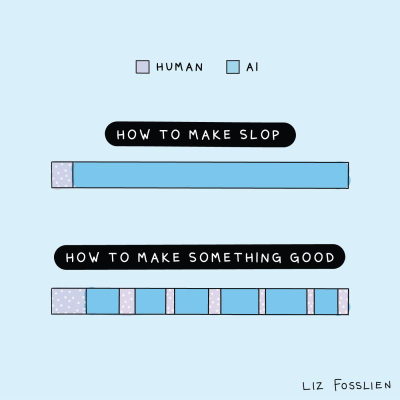
That said, I still have to be intentional here — agent-assisted writing can slide into slop fast if the human loops aren’t frequent or tight enough (e.g. If i just run through the full pipeline without actually spending time on the outline and draft revisions myself - it gets pretty “sloppy” fast). AI can make it easier to produce mediocre work at scale. The point isn’t to produce more content automatically; it’s to spend my effort on the thinking and judgment parts, not the mechanics (I will admit this initial exercise itself is slightly hypocritical in that regard!).
I’ve also been experimenting with image generation and stock photo lookup to go alongside posts. I set up a skill where the current defaults are Pollinations (Flux) for generation and Openverse for stock search — both free and keyless, which is why they’re the active providers. The image generation quality was serviceable but mid; I’ve been testing free-tier Gemini and OpenAI directly for cases where I want something better, and I might swap those in as my image generation defaults. Still figuring that part out.
What I’d take away from this
If your main goal is just to write more, I’d probably point you toward WordPress or Substack — the initial overhead here is real, and those tools exist for a reason. But if you want hands-on reps with agent orchestration, git workflows, CI/CD pipelines, and static app hosting on something you’ll actually use, it’s a great exercise.
For me, the main thing I want to tighten next is the writing loop itself — keeping enough of my own thinking in between the agent steps to avoid the slop trap. On the tooling side, the image generation defaults still need work. And the WYSIWYG editor I left behind at WordPress is a genuine gap — integrating a lightweight web editor for this setup is sitting on my vibe coding backlog.
If any of this is interesting to you — I’ll aim to share more as I go. And if you’re running your own vibe-coding challenges, I’d genuinely be curious to hear what you’re building.